A place for everything life throws at you.
Appointments. Bills. Things to do. Things you don’t want slipping through the cracks. Duesday gives each one a place, and brings them together on your new tab.
Home
Everything in view.
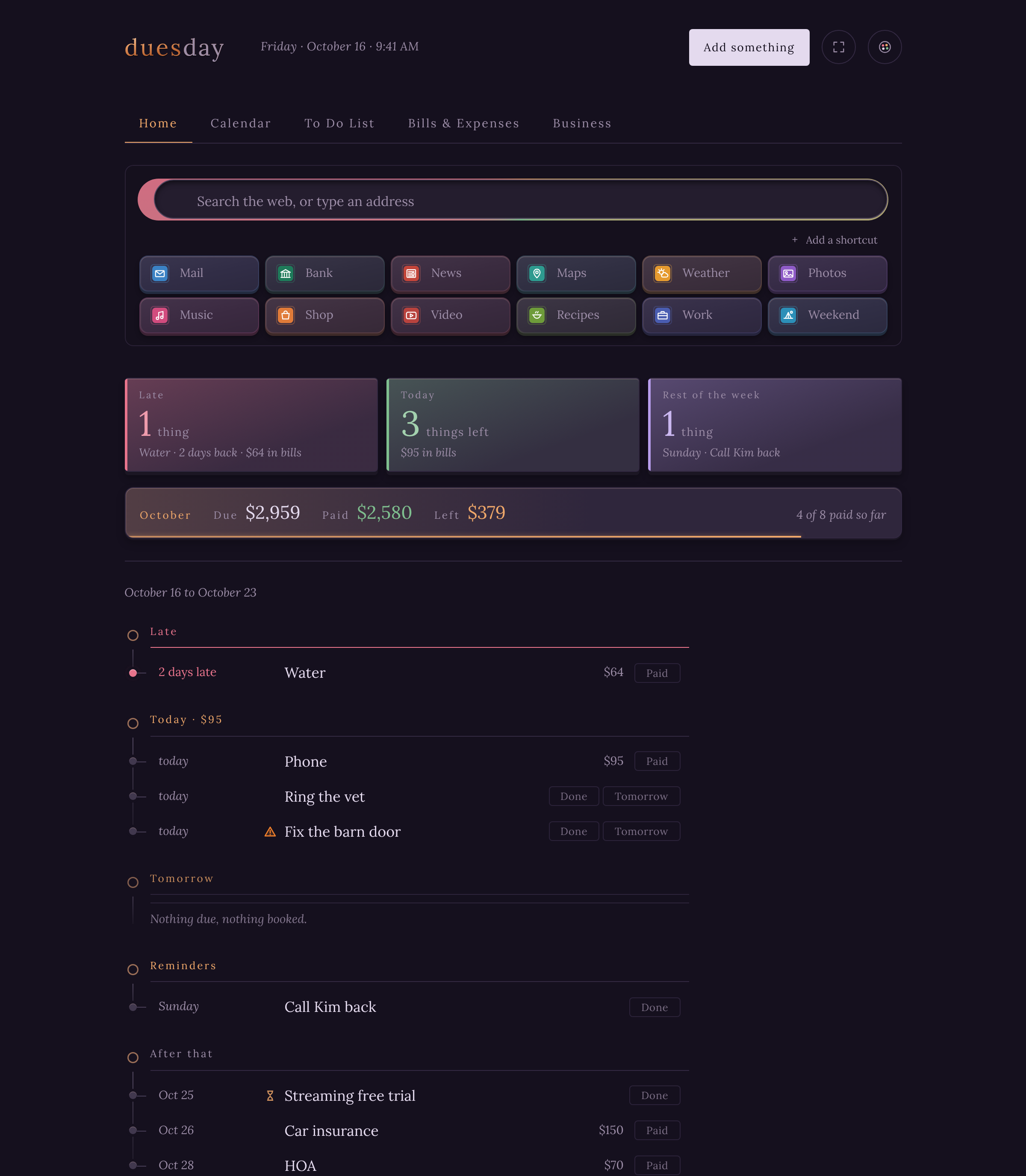
Your day, the moment you open a tab.
A search box and your shortcuts at the top. Then the day in three places that never move: Late, Today and Rest of the week. Under them, the month’s money and everything coming up.
- Your own search engine. Duesday never sees what you type.
- Shortcuts you choose, up to twenty, each with the site’s own icon.
- Nothing due? It says so: You are not behind on anything.
Calendar
Everything with a date.
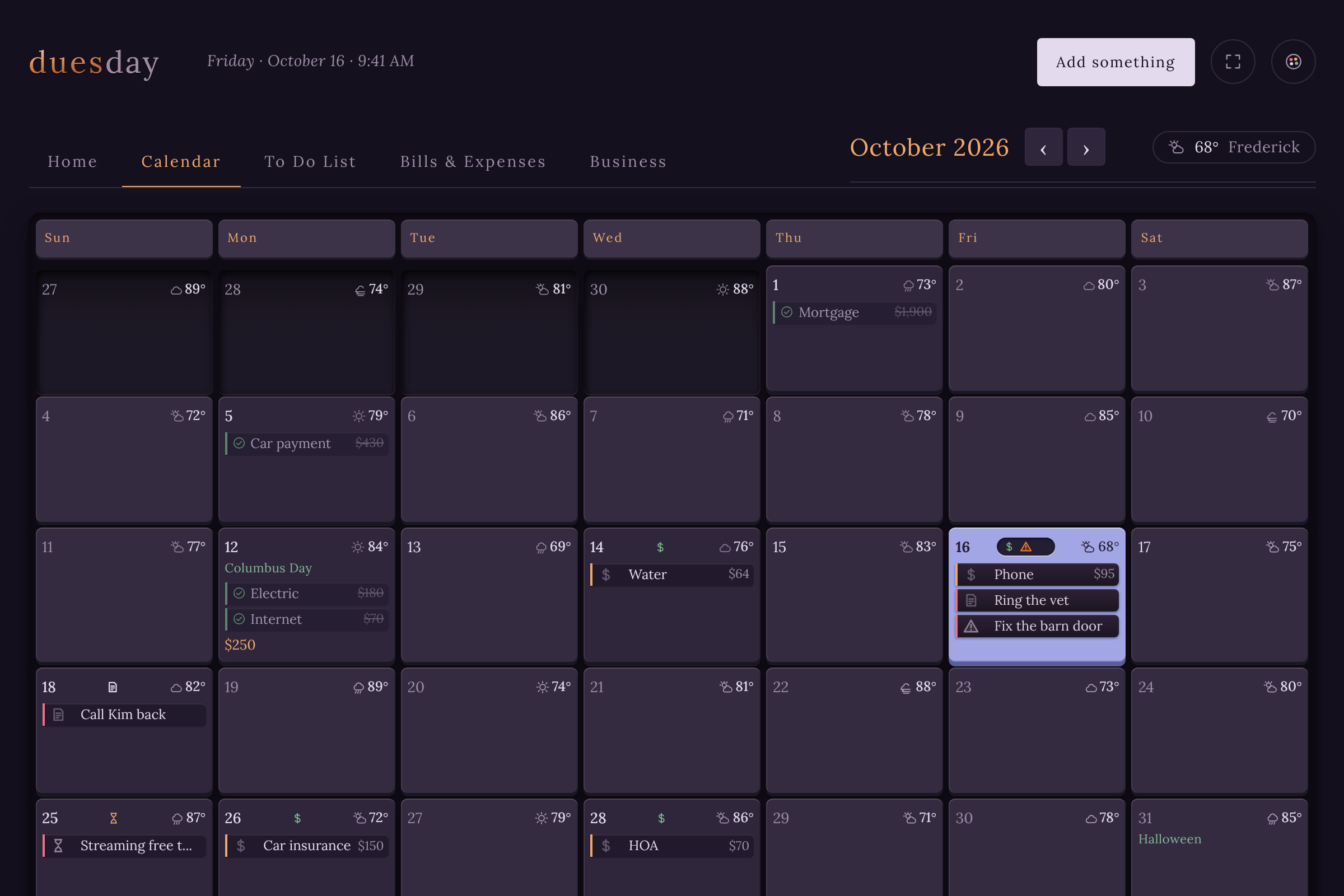
Bills, appointments, reminders and expiration dates on one month.
Each day shows what’s on it, and today is the whole square, not a dot on a number. Switch the weather on and it’s on every day too.
- Bills show what they cost.
- Appointments show their time.
- Weather from Open-Meteo, sixteen days ahead, only if you want it.
To Do List
Not everything important has a date.
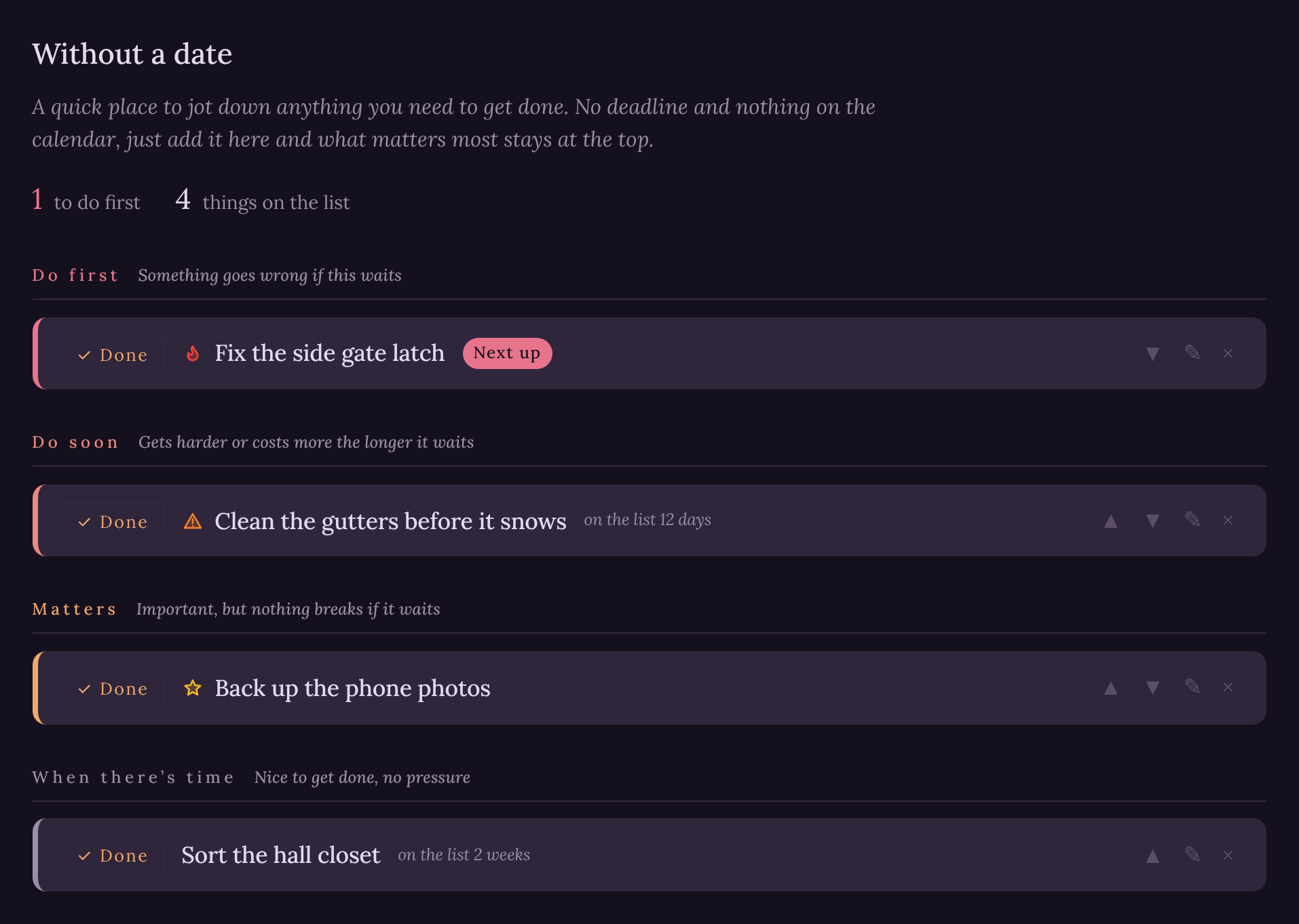
Jot it down and say how much it matters.
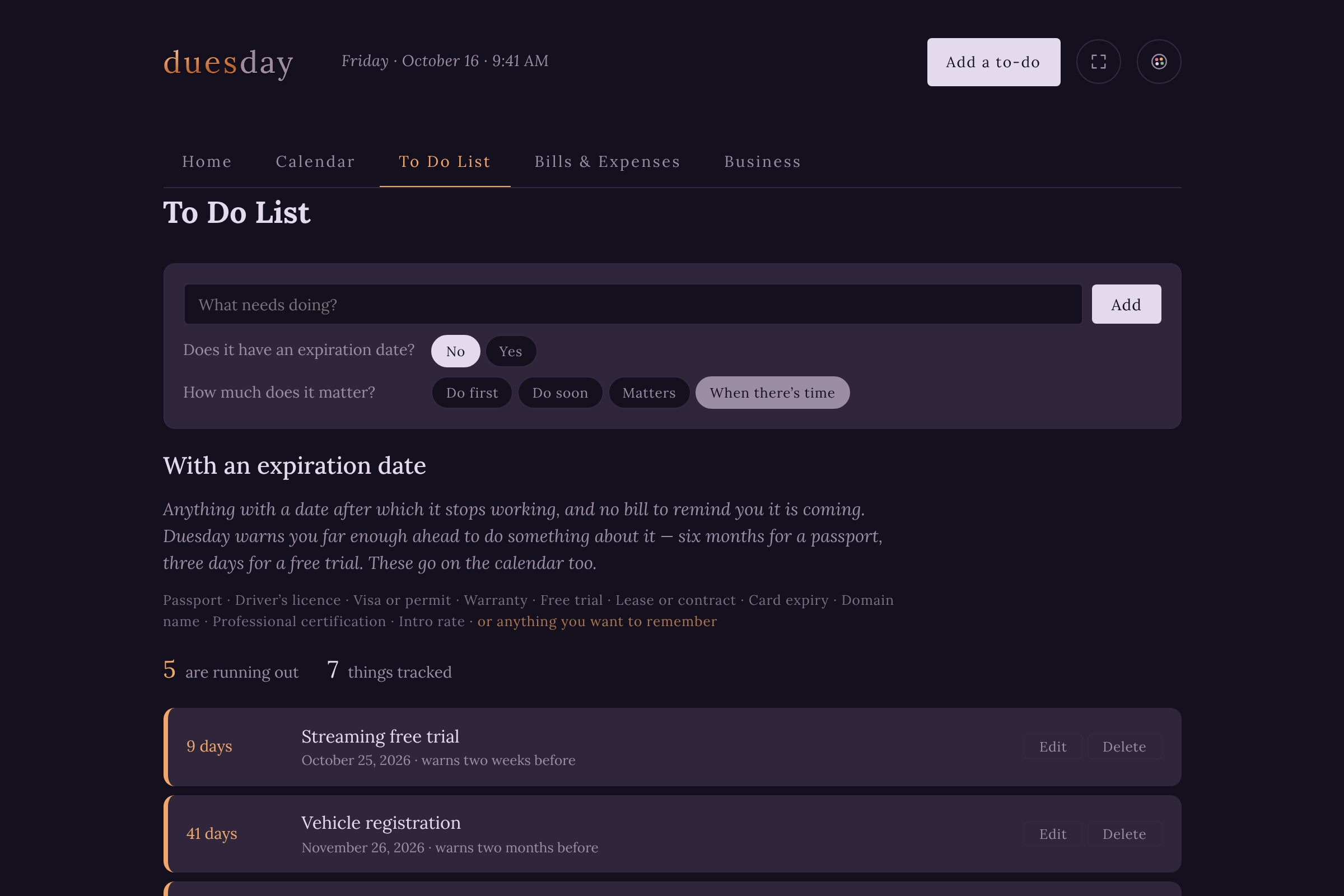
Do first, Do soon, Matters or When there’s time. What matters most stays at the top. Things that do end, like passports, free trials and warranties, get a countdown and a heads-up before they run out.
- Sorts itself by importance, with the first one marked Next up.
- Expiration dates count down and land on the calendar.
- Finished items move to a Done list.
Bills & Expenses
Your money in view.
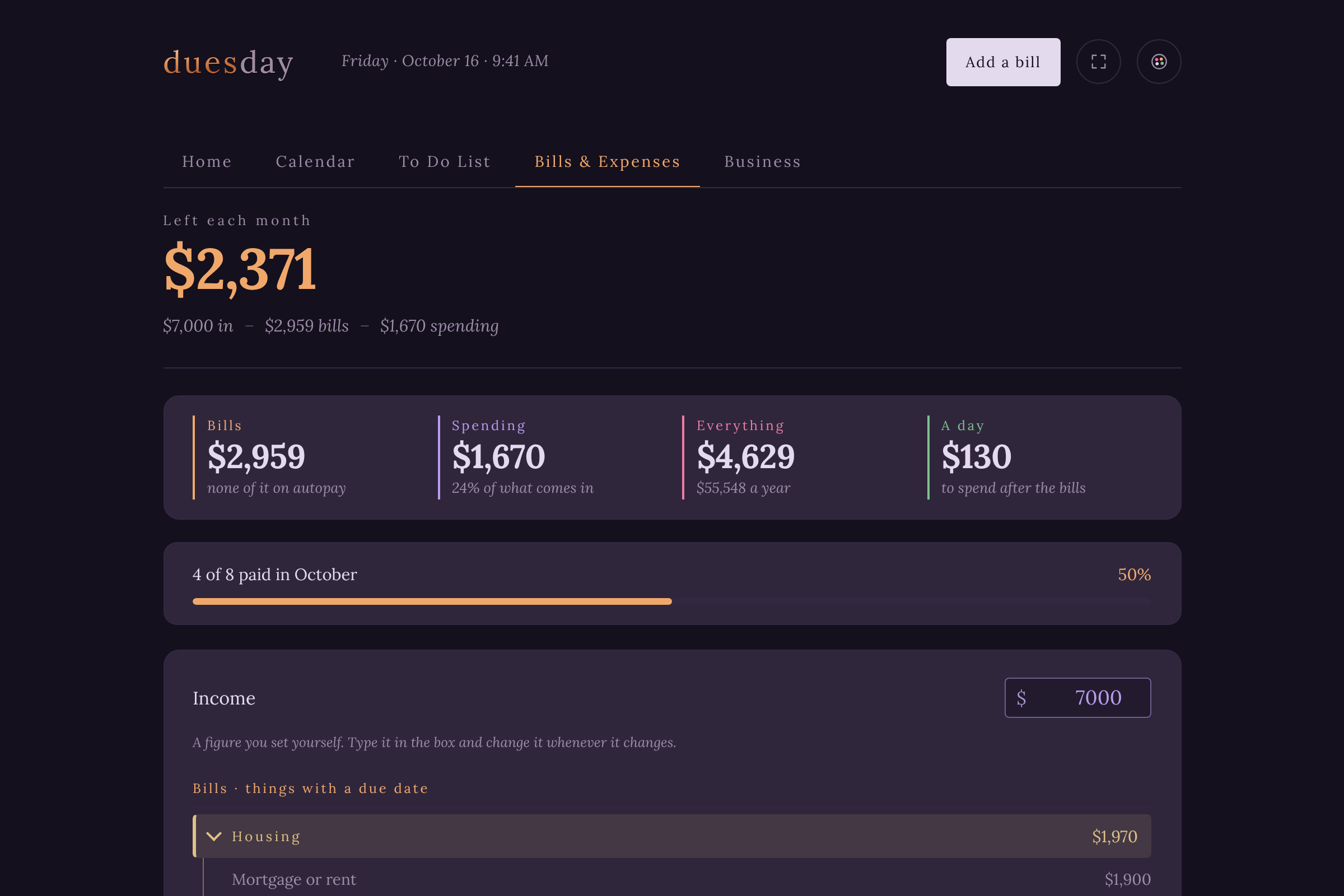
What you owe, what you paid, what’s left.
Add a bill, say when it’s due, and mark it paid with one click. Your income and everyday spending go in too, so the month shows what’s really left.
- 51 kinds of bill, each with specific ways to bring it down.
- Loans and cards that reach the credit agencies are marked critical for you.
- A month bar shows how much is paid so far.
Wherever you are
Sign in, and it’s all there.
On your computer, Duesday is your new tab, a toolbar button and a side panel. On any other computer or browser, open the web app and sign in. Everything stays in sync.
- One install, three ways in: new tab, toolbar and side panel.
- Five looks, light and dark.
- Save a copy of everything to one file whenever you like.
Run a business? Duesday for Business adds jobs, estimates, payments and the books →
One place. One organized life.
Just add things as they come up. Duesday takes care of the organizing.
Using another browser? Open the web app →