Your Life, Organized.
Without making a project out of it.
Your calendar, to-dos, bills, expenses, and everything else you want to keep track of, organized on the browser tab you already open every day.
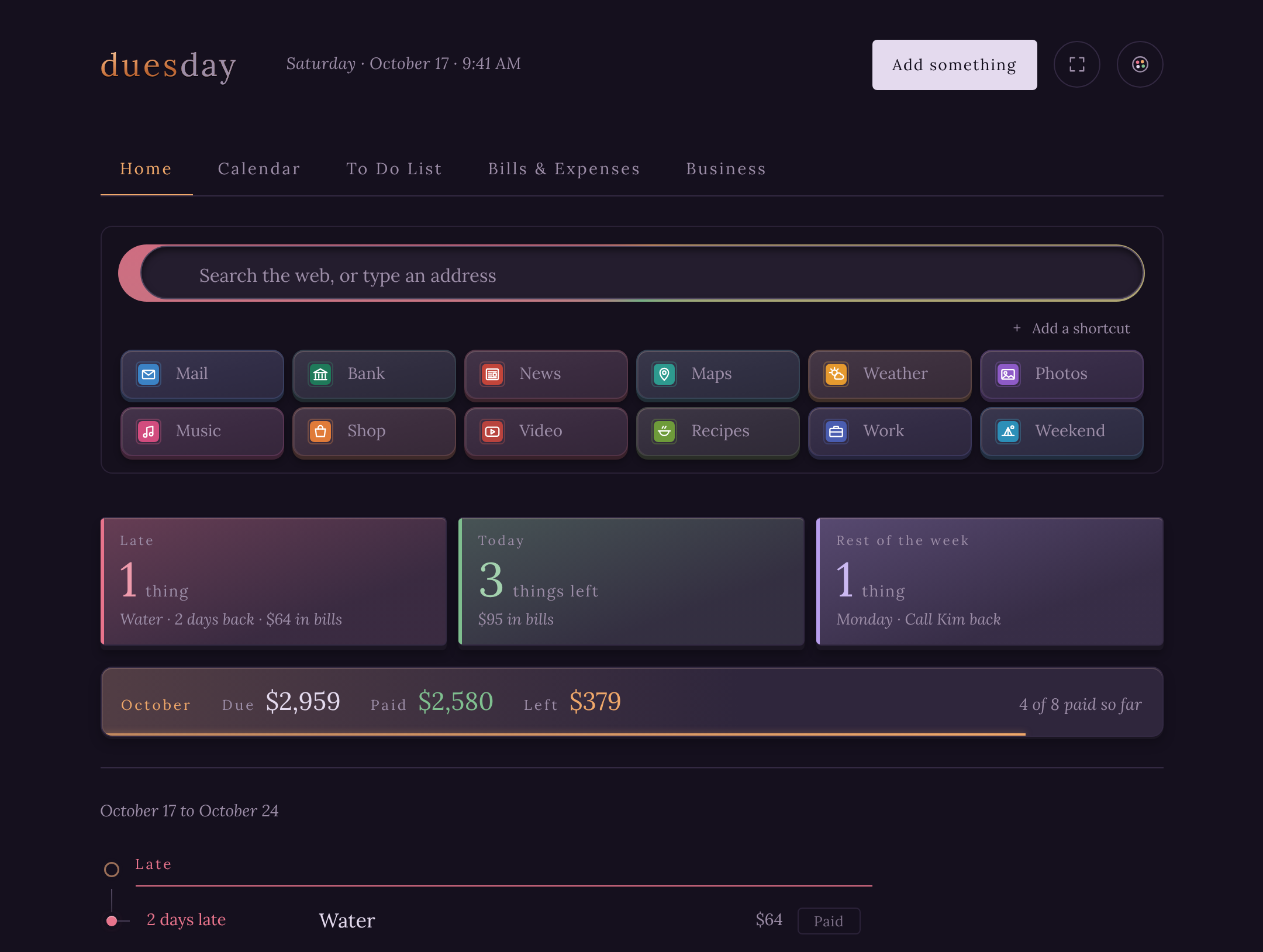
The Duesday experience · the Chrome extension
The best part? You don’t have to remember to use it.
Your life, organized. Right where you already spend your day.
Most organizers wait for you to open them. Duesday is already there: every time you open a new tab, your appointments, to-dos, bills and deadlines are waiting.
No new habit. No separate app. No extra steps.
And it’s still your browser. Search with your own search engine, open your favorite sites, and get on with your day.
On your computer, it also
- Reminds you about bills and deadlines, even when Duesday isn’t open.
- Counts down the days to your next date, right on the toolbar icon.
- Stays one click away in the toolbar and Chrome’s side panel.
- Backs everything up to your computer every day, automatically.
Works with Chrome, Edge and Brave. Prefer not to change your new tab? You can always use the web app instead. And if you change your mind later, switch the extension off in your browser’s Extensions page; everything stays safe in your account.
And when you’re away
Duesday goes with you.
Open the web app on another computer or in another browser. Sign in, and everything is just as you left it: the same calendar, bills and to-dos, with all the same organizing, in Safari, Firefox, Edge or anything else. Nothing to install, and it stays in sync with the extension.
Organization without the organizing.
Start with an appointment. Add a bill. Something you need to do. Something you don’t want to forget.
One thing becomes a few. A few become everything.
And somewhere along the way, you realize your life is organized.
You didn’t build a system. You just started using Duesday.
Know what’s coming
Appointments, events, deadlines, and expirations. See what’s ahead without digging through different apps.
Keep track of what needs doing
A simple to-do list for the things that matter, even when they don’t have a date.
Keep your money in view
Bills, income, and everyday expenses. Know what’s due, what’s paid, and what’s left.
See it all together
Your calendar, commitments, and finances organized in one familiar place.
Ready for a more organized day? Get Duesday for Chrome →
Before you hand over your new tab
- Does Duesday replace my new tab?
- Yes. Once it’s installed, every new tab opens on Duesday. Chrome asks once whether you meant that; choose to keep it. It’s also on the toolbar and in Chrome’s side panel.
- Can I turn that off?
- Any time. Choose Change it back when Chrome asks, or switch Duesday off on Chrome’s Extensions page. Your bills and lists are kept, and switching it back on brings everything back. Rather keep Chrome’s own new tab? The browser version runs in an ordinary tab instead.
- Is it free?
- Yes. Everything personal is free: no trial, no limit on bills, no ads. The only paid part is Duesday for Business.
- Where is my information stored?
- In your Duesday account, and on each device you use so it works offline. Sign in with your email and a code, no password, and everything stays in sync between the extension and the web app. Nobody else can see it. It’s never sold, and there’s no bank login. The privacy policy has the details.
- Can I export my information?
- Yes. Save a copy puts everything in one file you keep, and Restore brings it back on any computer. You can also have a copy saved to your Downloads folder every day.
How to get it
Chrome, Edge and Brave
AvailableInstall the extension from the Chrome Web Store: Duesday on every new tab, free.
iPhone, iPad and Android
Coming soonApps for both, signing in to the same account.
Who made it
Duesday started with a simple idea: keeping track of everyday life shouldn’t be complicated.
I built it because I wanted my appointments, bills, expenses, and everything else I needed to remember in one place.
As I started using it, something unexpected happened. I realized I’d organized practically everything in my life without ever setting out to do it.
No complicated system. No learning curve. I just added things as they came up.
That’s the experience I wanted to share.
Duesday. Your Life, Organized.